Designing with agents
How we design UI and UX with AI agents
I've started using a repeatable workflow to design software with AI agents. They research interfaces in Mobbin, a searchable library of screenshots from real apps and websites, then generate mockups and revise them with my feedback. Once the direction is clear, they implement it in the product.
One worked example · our assistant's original Performance screen
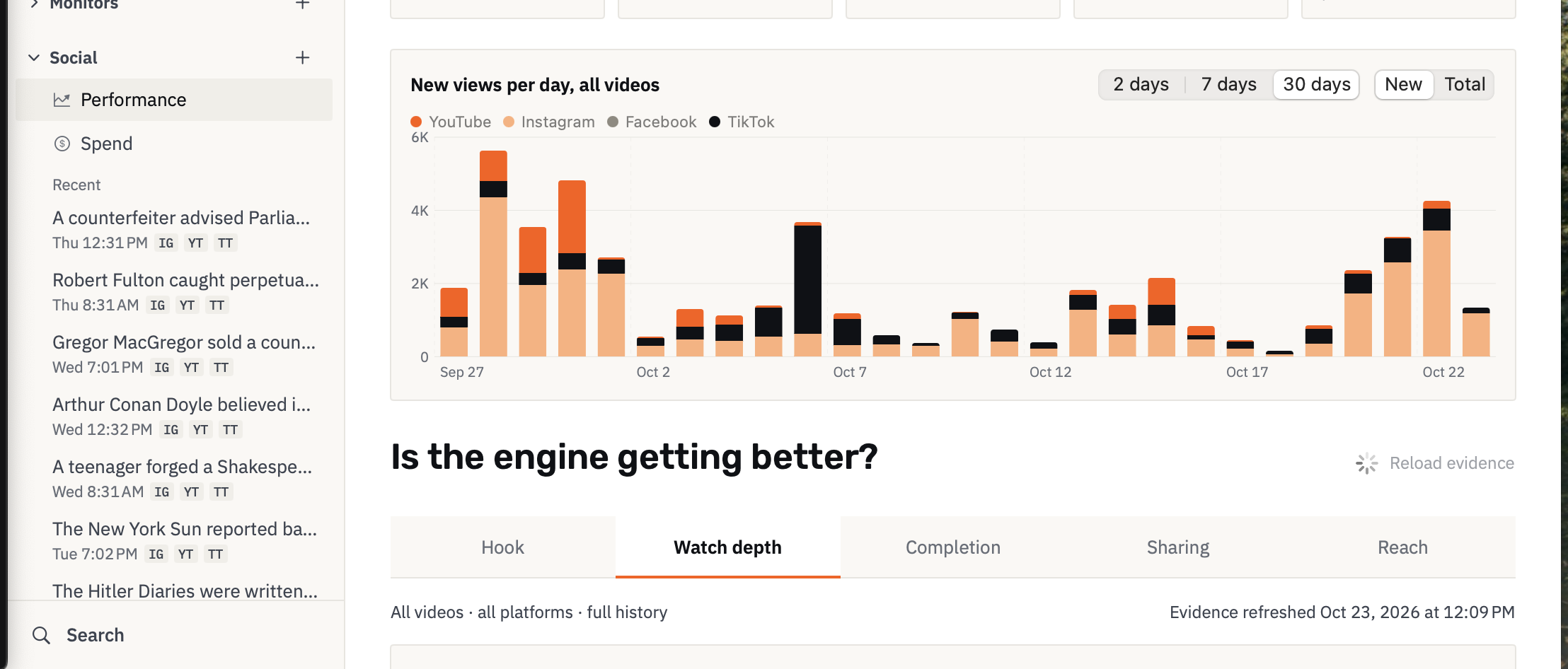
I'll use a redesign of our assistant's video dashboard to show the pattern in practice. The screen already had a daily views chart and a growing film list. We'd written about making twelve AI films and building our own film studio in earlier posts. I wanted to compare each film's performance, open a film and inspect its retention curve: the platform's report of audience remaining over time.
I asked Codex, the coding agent, to help redesign the assistant's Social screens. My visual brief was loose: make the interface "nicer and easier on the eye." I first had it read the existing product context and research reference screens in Mobbin. We could then generate mockups, revise them, and carry those decisions into the app.
Find references for the task
Mobbin's MCP (Model Context Protocol) connection lets a coding agent search the library in plain language and receive screenshots directly in the working session. For this redesign, Codex looked for ways to keep films identifiable beside their measurements and locate moments on retention curves.
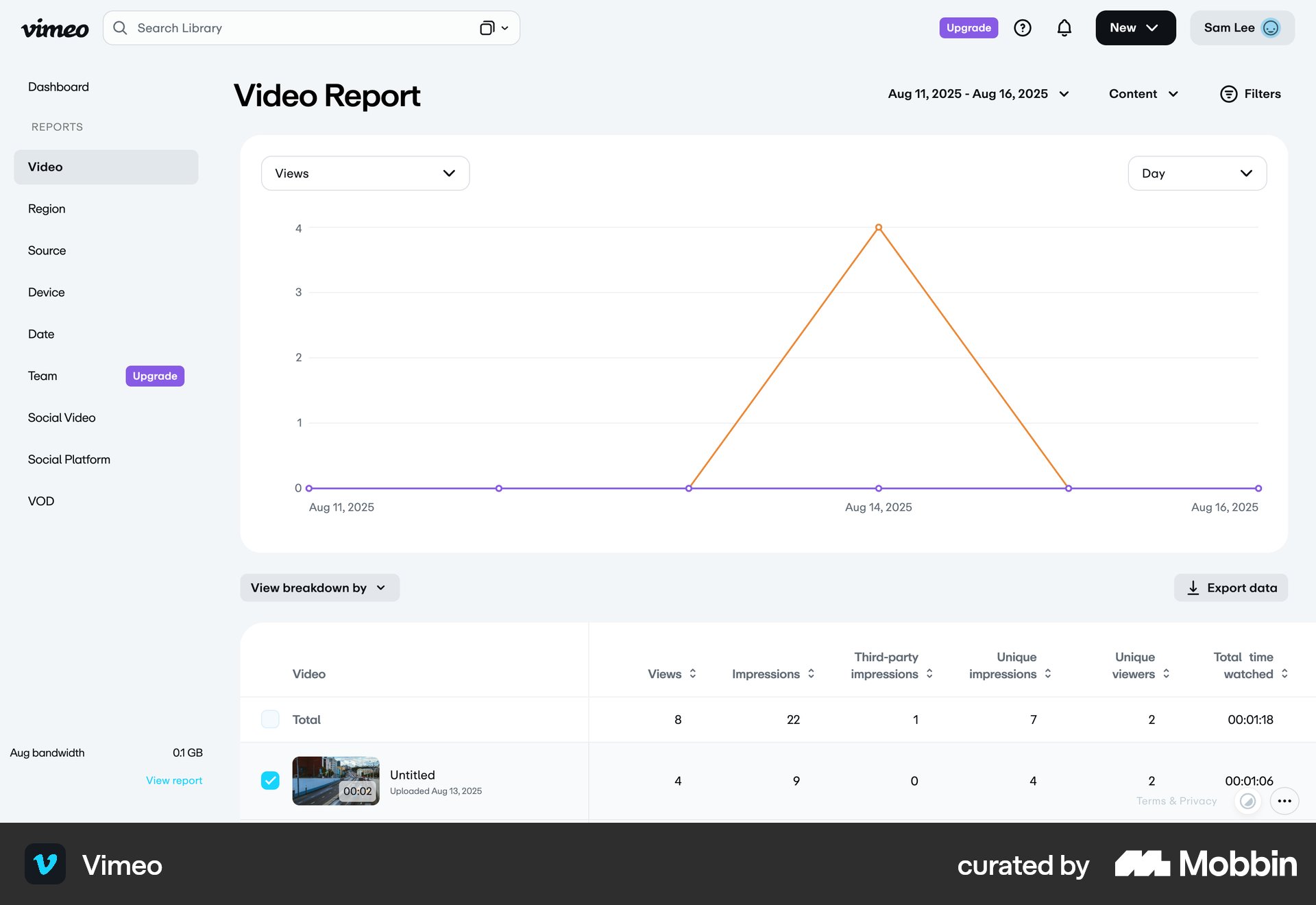
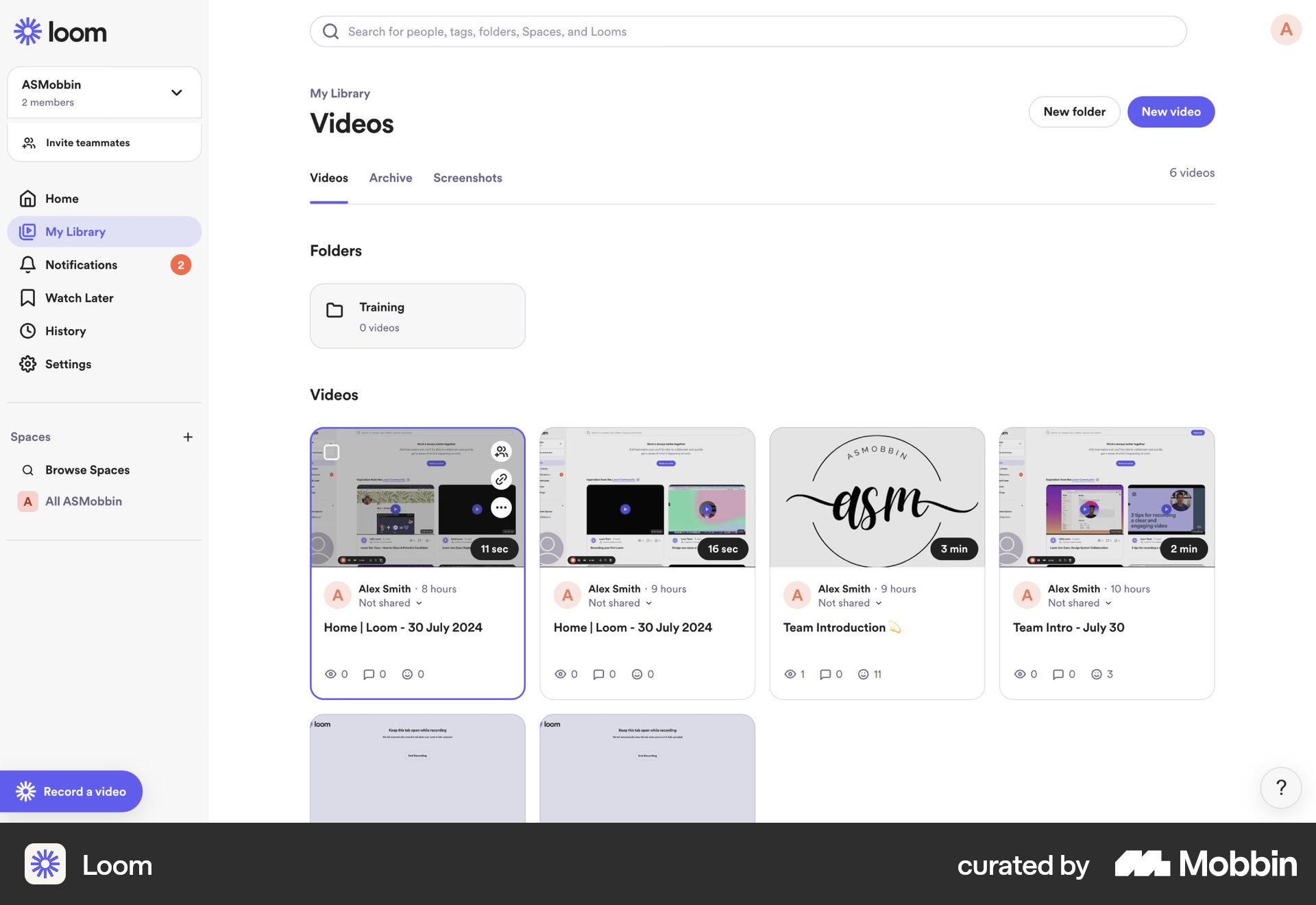
The agents selected three references. Each supplied a specific idea for our task.
Vimeo via Mobbin
Loom via Mobbin
TikTok via Mobbin
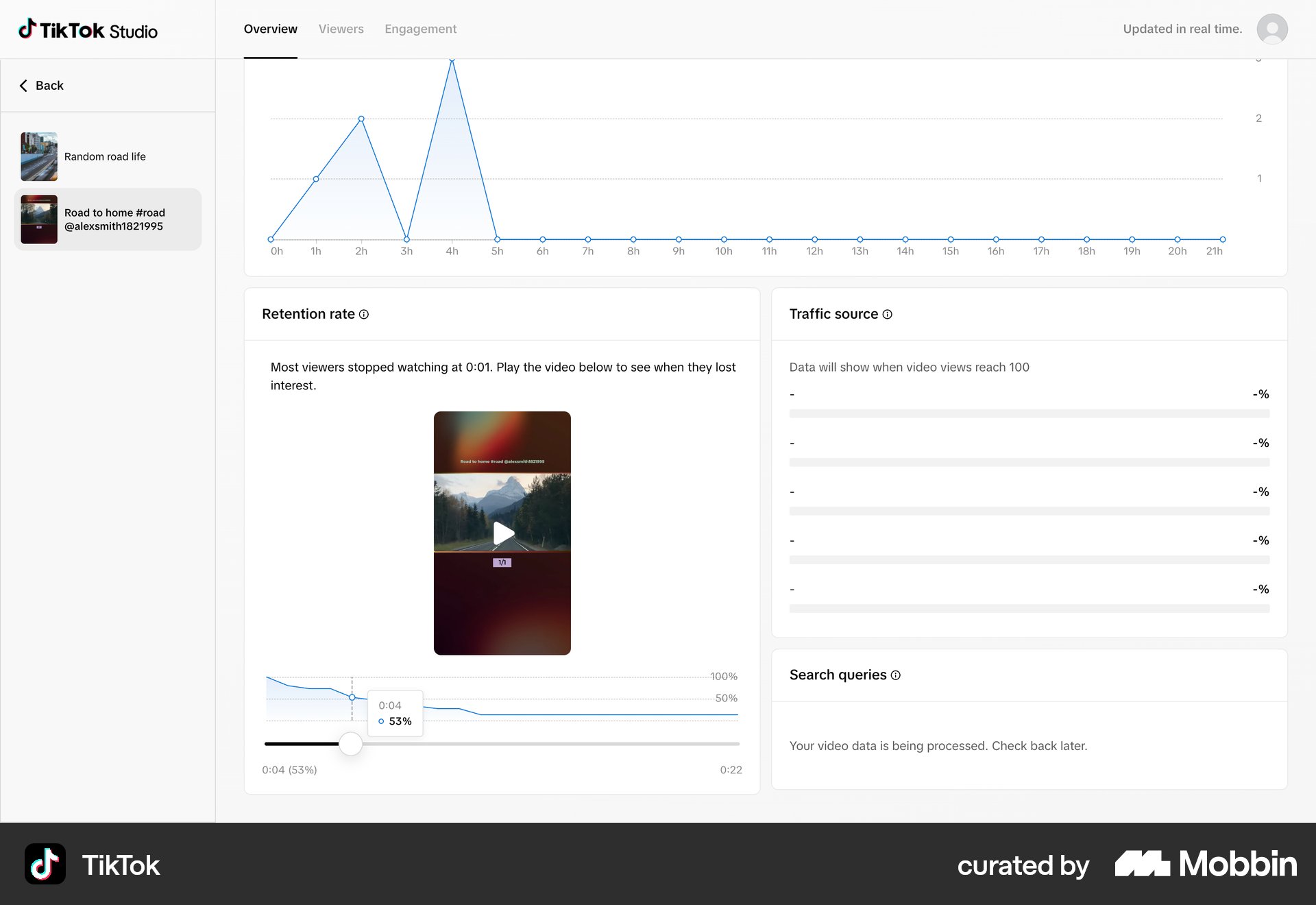
These historical screenshots show arrangements, not verified interactions or platform formulas. Searches and canonical sources ↗
The agents turn references into a mockup
Next, the agents sent a written brief and five images to ImageGen, the image-generation tool built into Codex. Each attachment had a job:
Inputs to the original library request
- Image 1: our appKeep the product identity and navigation.
- Image 2: LoomBorrow the preview-and-title arrangement.
- Images 3–5: our film stillsUse our films as content inside the interface.
The prompt asked for a desktop screen in our existing style, with readable titles and sample performance figures. It also said, "The video is the main object." Here is what ImageGen returned:
First library mockup · ImageGen · illustrative data
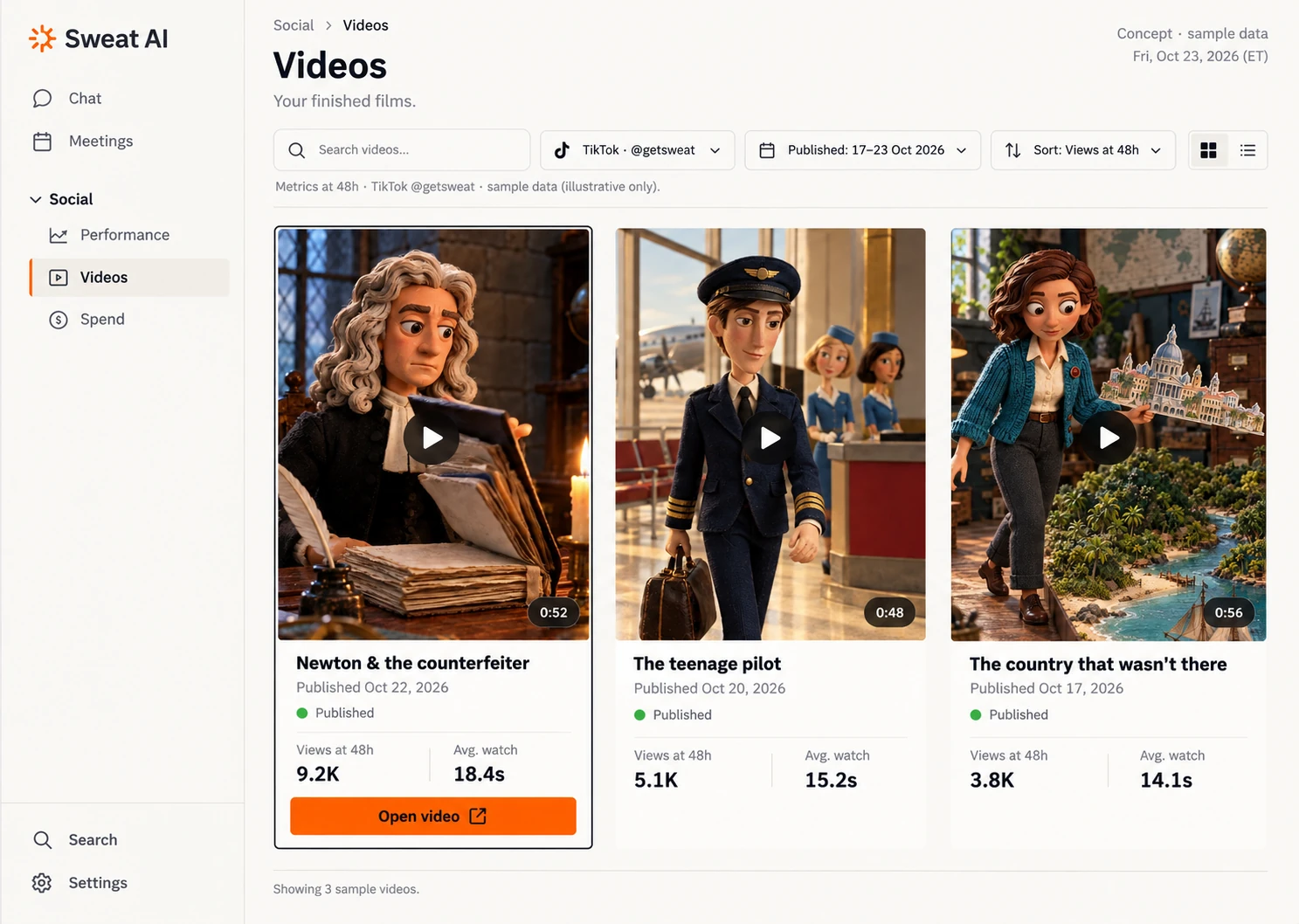
"We have a lot of videos," I wrote. Three films at a time would not be enough. I asked the agents to make the grid smaller.
Each objection became the next instruction
For the revision, the agent attached that mockup with four more film stills. It asked ImageGen to keep the surrounding interface and fit more films into the grid.
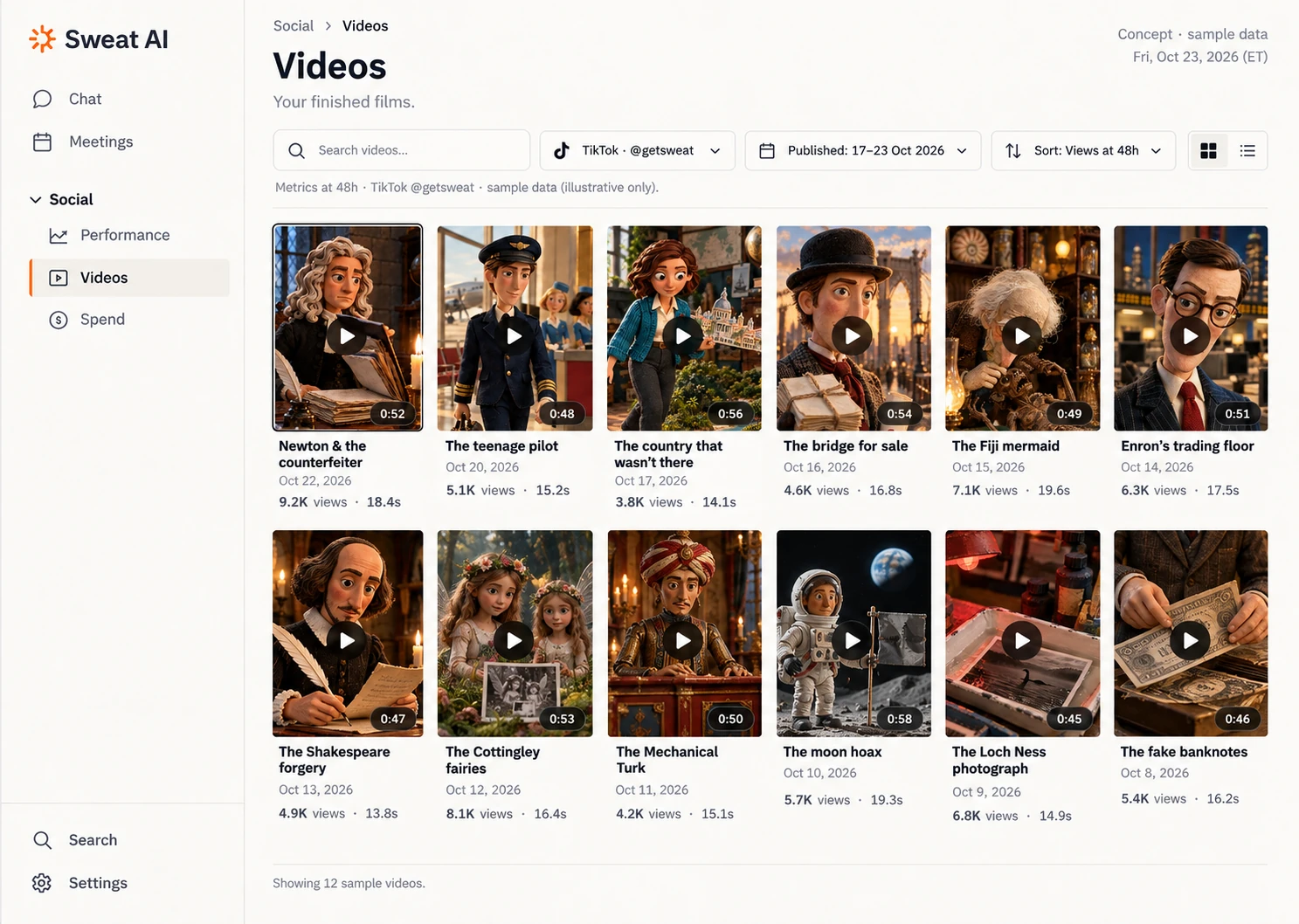
Three columns became six.
More films fit in the same workspace.
We then reviewed a detail mockup the agents had generated from our app screen, the TikTok reference and a film frame. It put a large player beside the statistics. I wanted that space for analysis. "Stats are more important," I wrote.
This time, the agent attached only the chosen mockup. Its edit request asked ImageGen to preserve the film and navigation while changing the hierarchy: metrics first, retention second, playback a small utility.
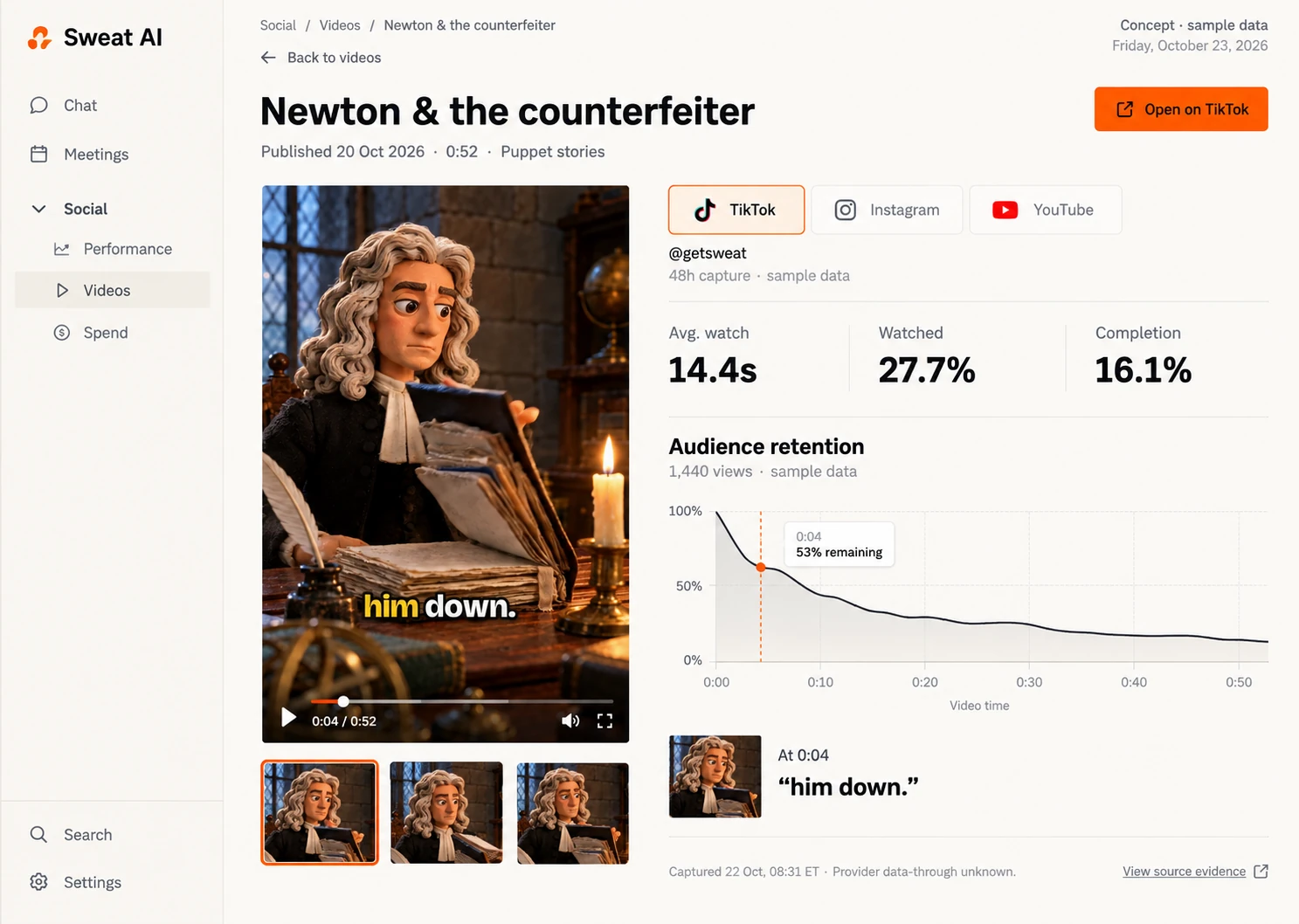
Before: playback dominates the detail.
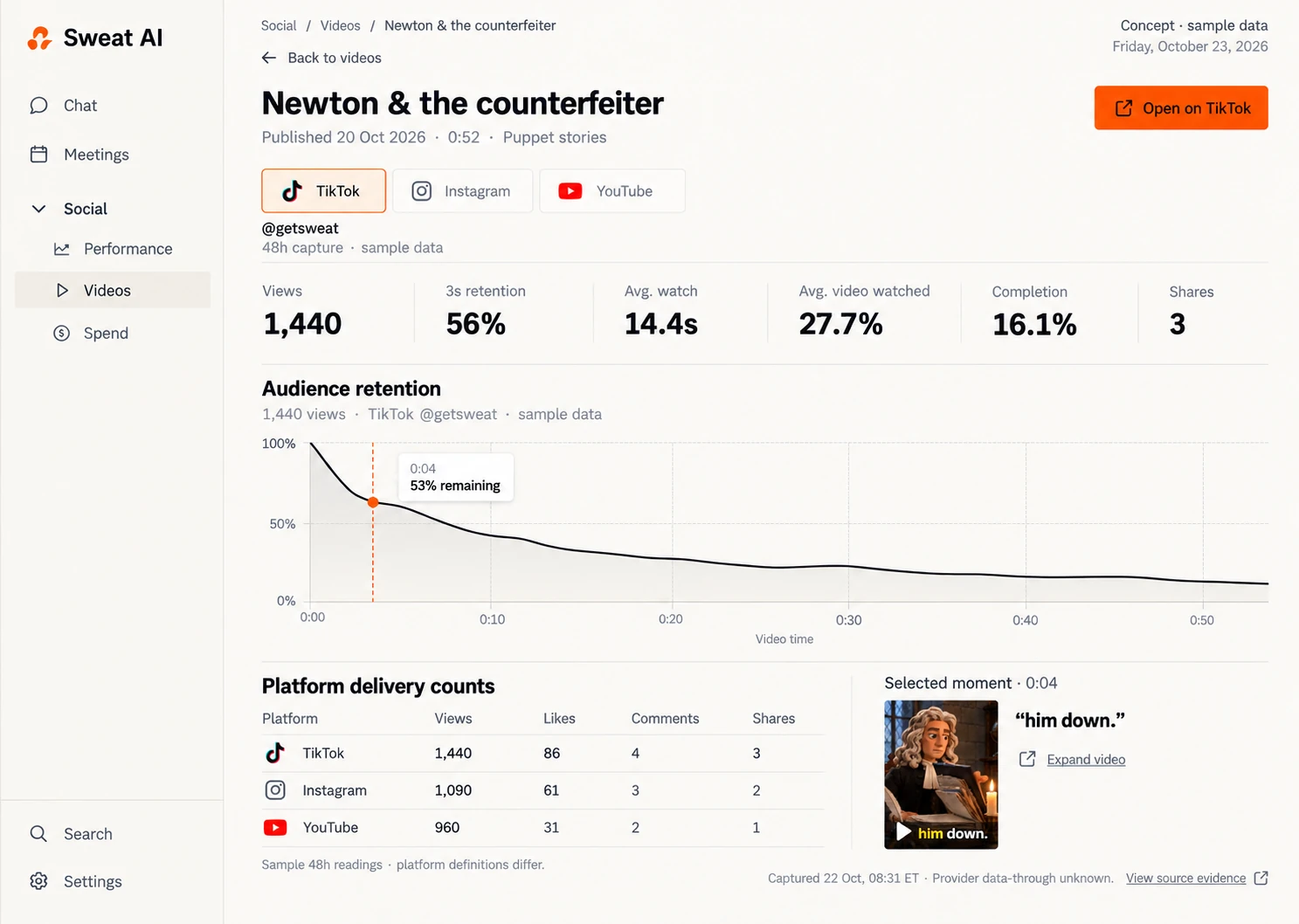
After: metrics and retention get the workspace; playback becomes a small reference.
I had started with "nicer and easier on the eye." Now I could tell the agents what deserved space. The images made those decisions easier to discuss before we committed them to code.
References and exact prompts for these revisions
The agent's original contact-sheet prompt said, "The video is the main object." Compare it with the smaller-grid prompt and the statistics-first revision prompt.
Open the Loom reference on Mobbin ↗ or the first generated library image ↗. The historical inputs and substitutions explain what accompanied each request.
For your own project, see the prompts you can adapt and ImageGen guide ↗.
Final result
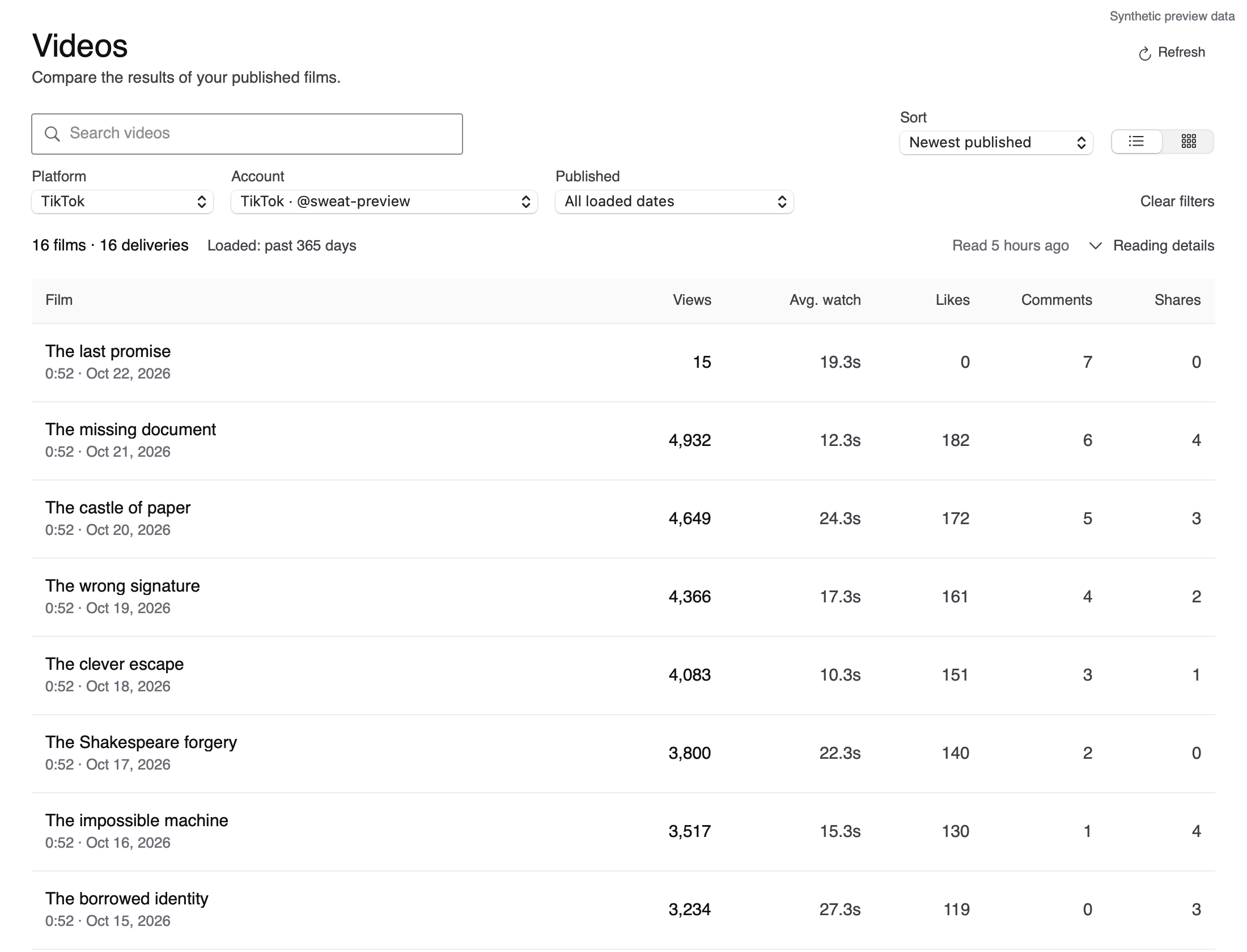
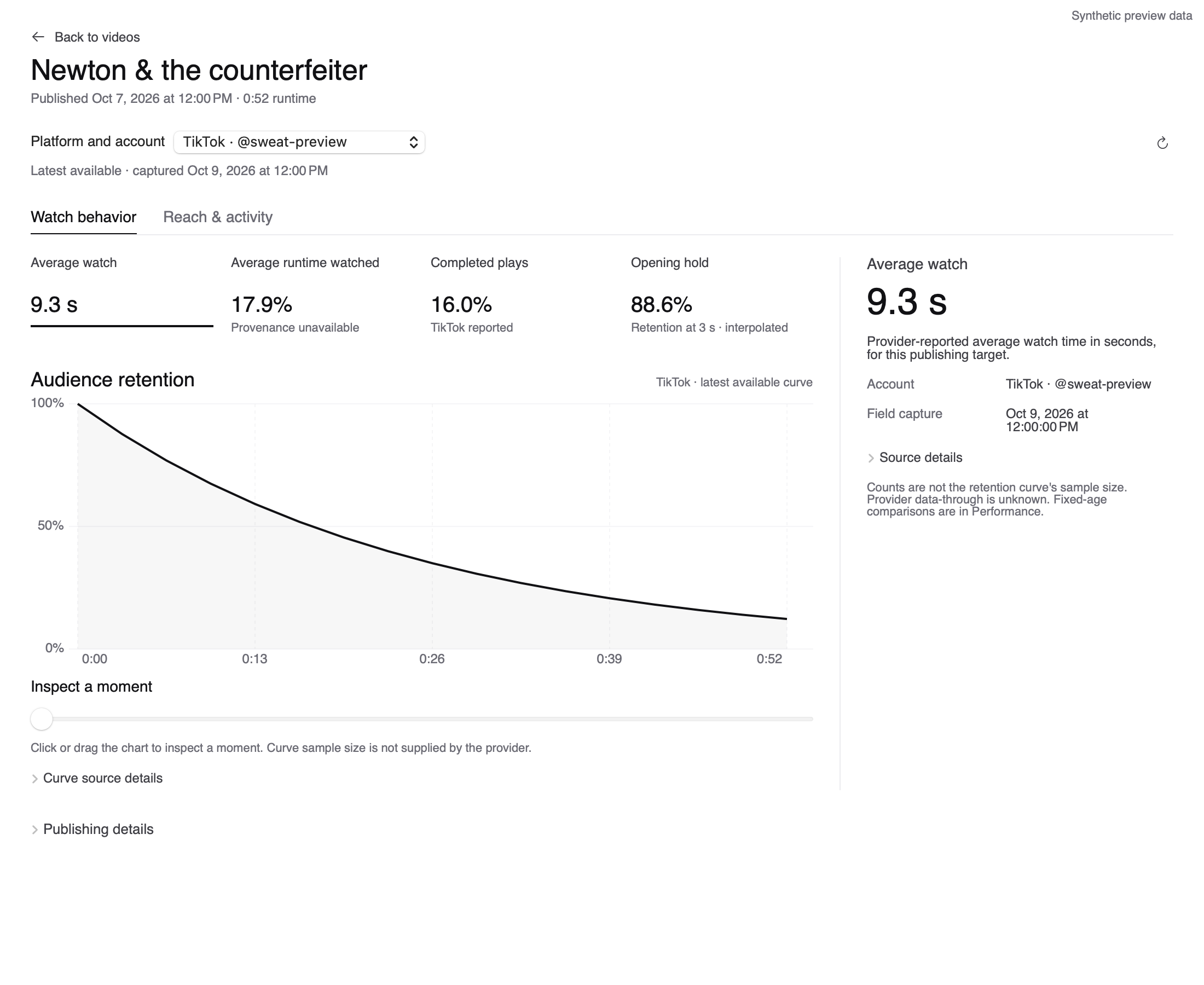
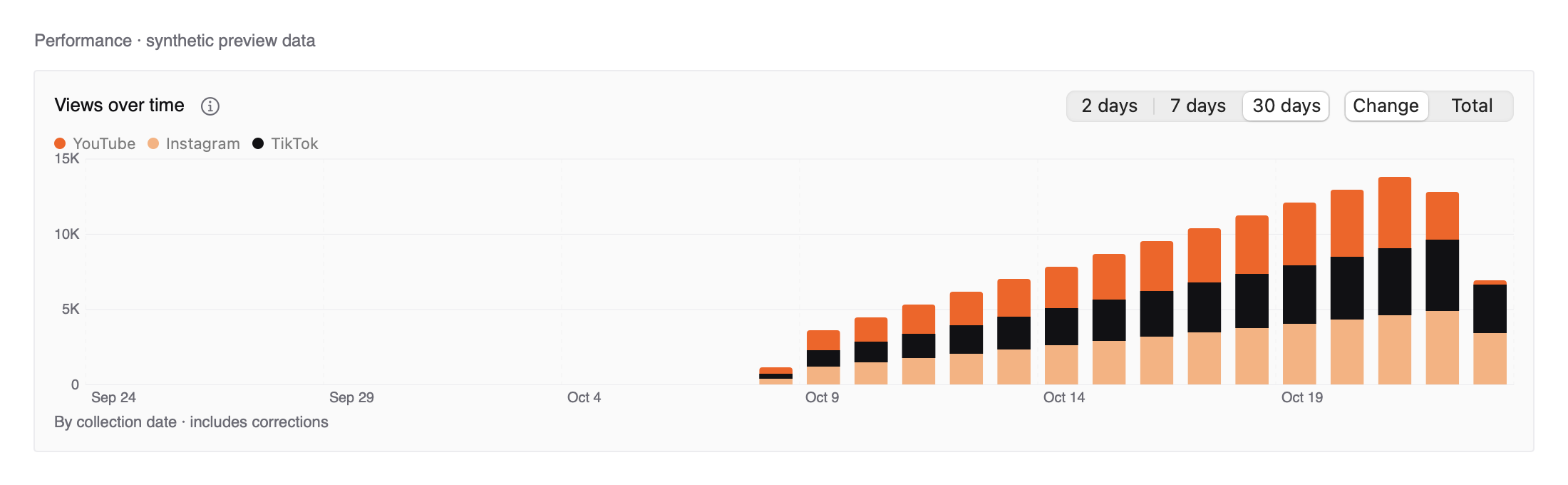
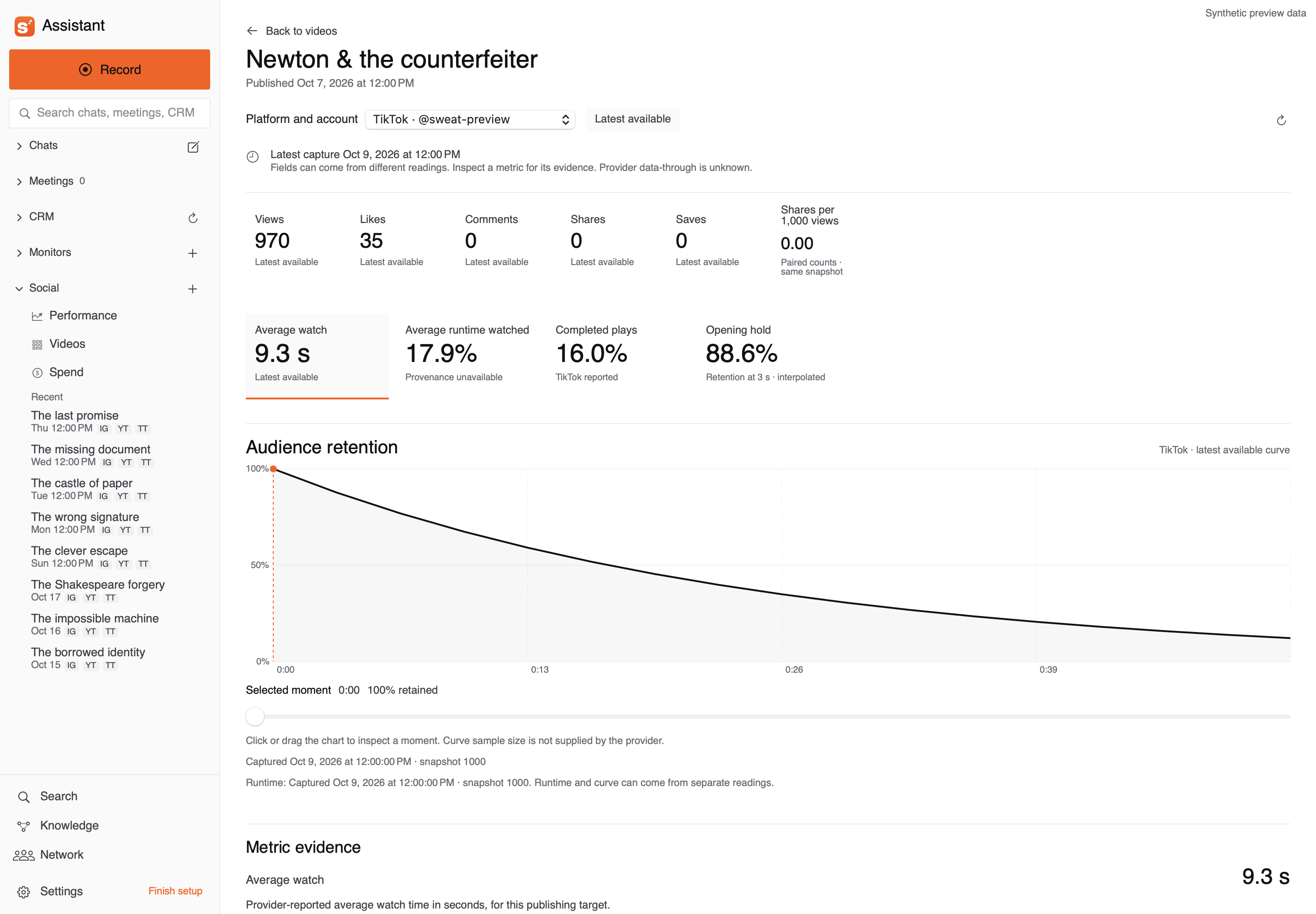
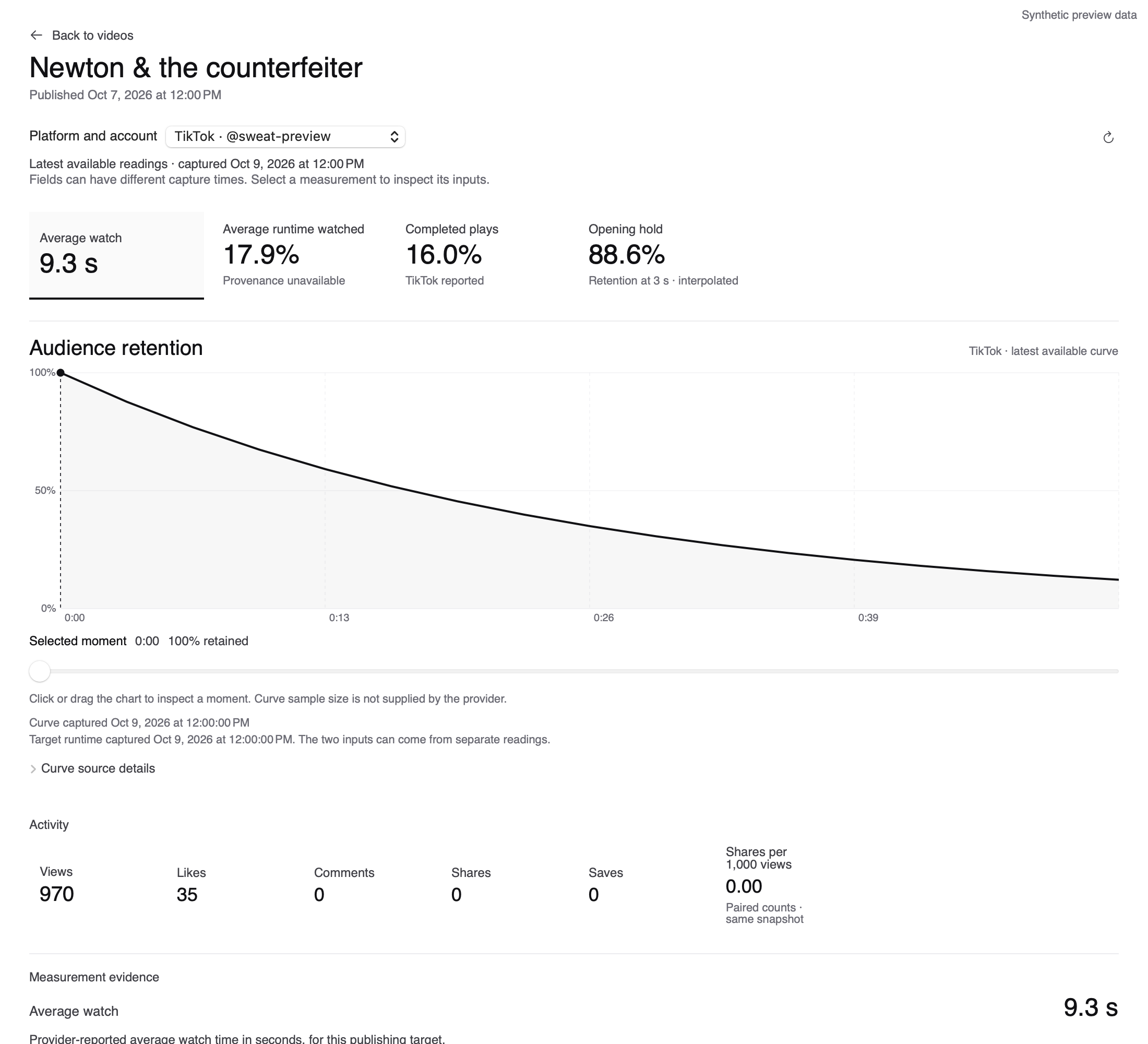
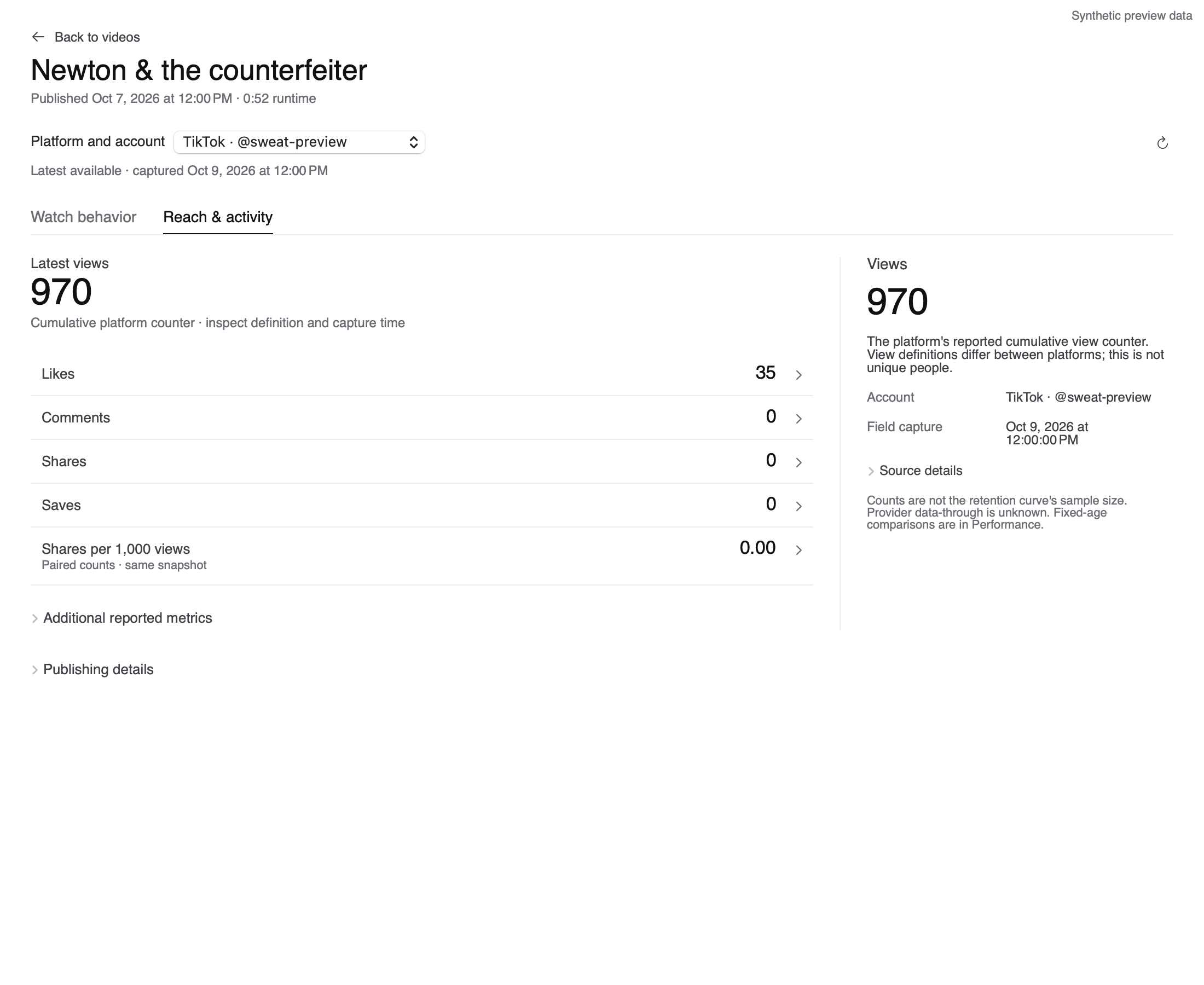
The agents then implemented the revised direction in the native app. The library uses aligned rows to keep film titles beside their numbers; the detail screen gives metrics and retention more room. These screenshots use synthetic preview data. The native changes are under review and unreleased.
Carry the decision into the next stage
Here is the workflow I'll reuse. I set priorities and review the results; the agents carry each decision into the next draft or into code.
The pipeline we used · human review between stages
- Codex + MobbinContext → references
Inspect the existing app and code; identify the task. Save each reference with the idea to borrow and why.
- ImageGenReferences → mockups
Combine the current screen, selected references and realistic content. Save the image with its prompt. Save the attachment order with the prompt.
- Human + agentFeedback → revisions
Walk through the proposed task in the image. Keep each objection with the revision it prompted.
- Coding agentChosen mockup → app
Define actions and expected results, then implement them in the existing product. Run the task and revise what fails.
For the next project, I'll give each agent the chosen screen and the reason we chose it. That makes the next request specific enough to act on, whether it calls for another image or a change to the app.
Practical resources
A design brief you can adapt
Adapt this brief; the reusable stage prompts provide detail.
We are improving [product] for [user].
The task is [task], with [realistic content volume].
An awkward case is [case]. Read the existing code and decisions.

Research arrangements through Mobbin MCP; save sources and reasons.
Generate alternatives from our screen, references and content.
Label illustrative values. Walk through the task; revise objections.

Before coding, define actions, metric inputs, missing/loading/empty/
failure states, return navigation and exact expected results.
Implement in the existing app. Run the task with a keyboard and at
supported widths. Save inputs, decisions, results and open issues.
Report release status separately.
A question to settle in your own brief
What should "progress" mean?
Decide what "progress" should mean in your own brief. These questions need different evidence.
Conceptual sketches · no measured data
"Show progress"
Did we publish more?
Count the output.
Did they collect more views?
Compare view counts.
Did people keep watching?
Inspect watch behavior.
Name a concrete task. State its platform and account, then choose a comparison period.
Sources and original drafts
Optional implementation analysis files. Save observations.json and reproduce.py together; run python3 reproduce.py (Python 3 standard library). It checks the supplied 42 rows, selects their top four and reproduces the arithmetic. It cannot establish completeness or repeat nearest-capture selection across omitted private history.
Readings were frozen October 22, 2026, at 17:50 UTC; the four Instagram readings were cross-checked against the read-only app API October 24. The executed notebook has saved results and editable figures; the README gives rerun dependencies and scope.
Inspect historical inputs. Read the prompts with their attachment map. Supply your own Mobbin references and film stills; originals are not bundled. Public images are substitutes. The ImageGen model and its version were not recorded. Neither was the seed. Check generated labels and dates. Inspect the chart geometry; exact pixel replay is not guaranteed.
Inspect native captures. Native captures use synthetic preview data; concepts use illustrative numbers. The visual source record lists attribution, dimensions, viewports and the native chart's source commit.
Original screens: starting Performance view, three-poster concept, smaller grid, large player, statistics-first concept.
Five historical prompts: Performance, contact sheet, screening desk, grid revision, detail revision. The input map explains their dependencies.
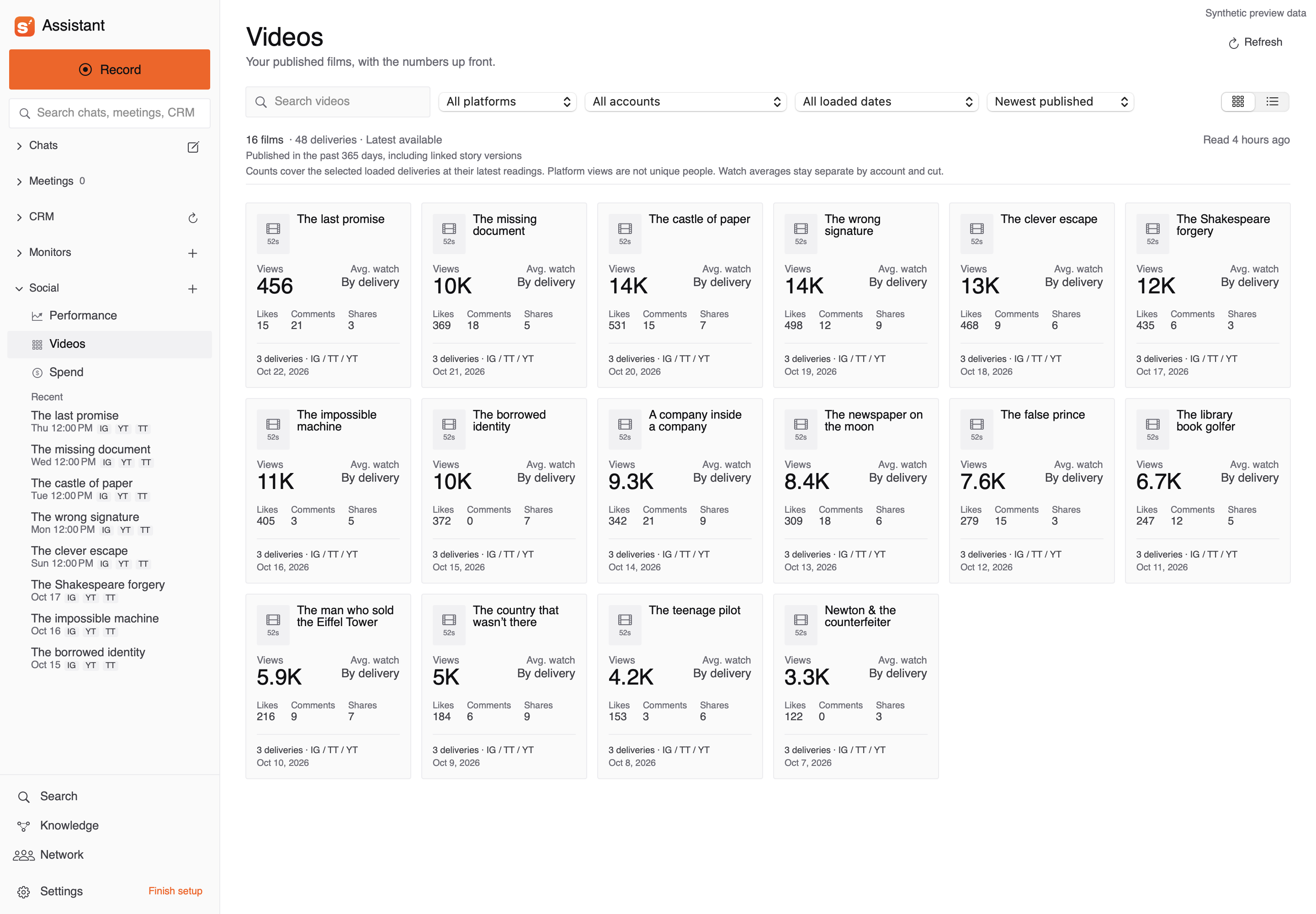
Native implementation captures: first card library, first detail, revised table, earlier detail refinement, current watch analysis, current activity analysis and daily overview.
Explanation references. Presentation and narrative references: Nicolas Rougier's Scientific Visualization, Tim Urban's Neuralink essay and the Save the Cat beat sheet, adapted to nonfiction. The explanatory diagrams are original.